FREE Shipping for Ksh. 10,000+ orders

10%+ Discounts for you

Free Shopping Coupons


Remaining true to our commitment of making your shopping experience incredible, we have made it easier for you to shop through brands. Since we provide products from various brands, we have made it easier for you for select which particular brand to shop from at any particular time.
You will be able to browse through various brands and check through their catalog of products that are available at our store then select the particular products that delight you, comparing their different prices and features in order to get the best match for your shopping needs.
Through this article we will take you through the different ways you can be able to find the brands column and filters, and how to browse through different brands so that you can select your most preferred brand then shop for the products of that particular brand that you like. Read through to get the most from shopping at Incredible Store.
There are two major ways in which you can shop through brands in Incredible Store. The first one is by finding the brands column on our homepage which is located immediately after the hero section. Here you will find a display of all the brands that are available at our store at any given time.
The second way to find the shopping option in which you can shop through brands is by visiting our shop page. You can find the link to the shop page on the header of the website and also on the footer on our website. Here is also a direct link you can use to get to the shop page.
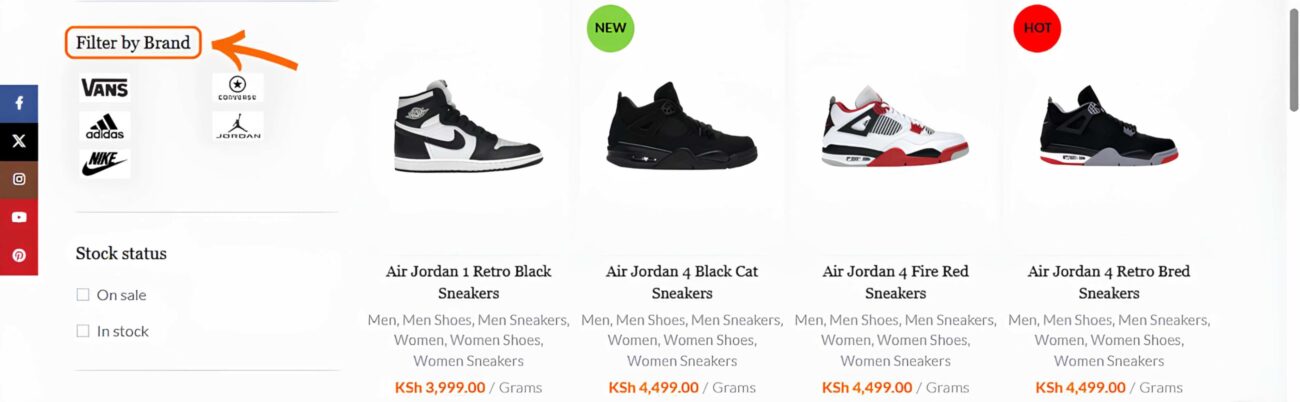
When you visit the shop page there will be an option given where you filter by brands at the left side bar of the page, below filter by price option. This is where you can select the most preferred brand by clicking on it then products from that particular brand will be filtered for easier shopping.
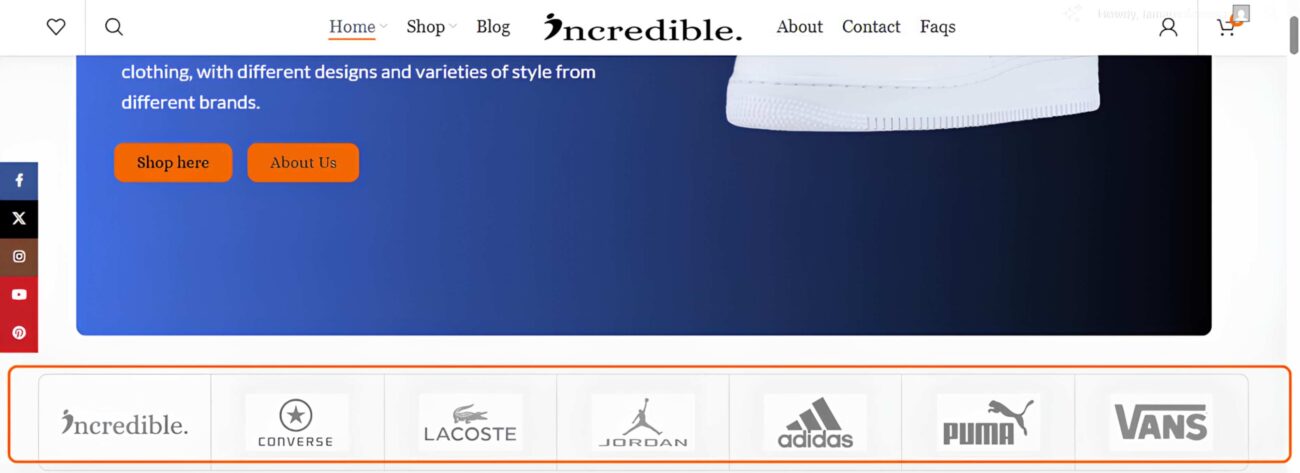
The brands column on the homepage display all the brands that are available in Incredible Store. The column will randomly display seven brands at any given time. You can use the brands column to scroll through all the available brands.
When using a personal computer you can scroll to the brands column by right clicking on one of the brands and hold, then scroll either right or left to view other brands that are available. You can scroll through the brands column also on mobile by holding one of the brands with your finger and scrolling either right or left.
When you find the particular brand that delights you, click on it then you be directed to the shop page where product from that particular brand will be filtered for easier shopping. Browse through the product on the available filtered pages then select the best items that you require.
Once your most preferred brand is filtered and product displayed are only from that particular brand you can shop easily through that brand. The products displayed on the filtered page will be from all the categories that we have in our website which includes footwear, apparel, clothing and wall arts.
On every item that you hover with your mouse, there will be four options shown. The first one is for selecting options like, colours and sizes, the second option will be a quick view option which will display details such as the photo and the name of the product. There will be price of the product and the available sizes and colours.
Below that you will see the option to increase or decrease quantity, and Add to Cart option. Below that there will be the SKU number of the product, the categories where the product is displayed, the tags used on that product and the social share buttons.
When you hover on the product photo you will see arrows pointing towards the left and right side where you can click to view more images of that product. Then below the product you will find an option where you can view more details of the product. By clicking on it you will find the product features and benefits.
The third and fourth options are the Compare and Wishlist options. By clicking on the compare option you will get a confirmation icon showing that the product has been added to the Compare page. Whereby, the product will also be added the Wishlist page when you click the wishlist option.
The compare page can be used to compare different products that you would like to purchase. The products can be from the same brand or from different brands. The wishlist page can be used to save products that you would you like to purchase at a future date. You can add as many products as you like from to either of the pages.
To get better deals, always compare products by adding them to the Compare page then view their prices and details. Confirm if they are on sale then pick the best that will suit your needs and save you money. For products that you would like to purchase at a later date, save them to the Wishlist page where you will be able to find them easily when you log in to your account through the My Account section.
Whether you use the brands column on homepage or you use the Shop page to get to the brands filtered page, only one brand will be displayed on the left side bar on Filter by brands options. Then on top of the filtered products the name of the particular brand displayed will be visible.
When you are done with that particular brand or you would like to view other brands, you can click on the clear filters options or the name of that particular brand with an “X” sign before it, to be redirected to the shop page where all the brands and products will be visible. You can also learn more on How to How to Shop through Categories in Incredible Footwear Store on this link.
Now you can easily shop through brands in Incredible Store. Let this be a great option to help you save time and energy that would have been used to go through all the products in the store in order to find particular product from particular brands. Shop with us today and enjoy great discounts from your most preferred brands.
No account yet?
Create an Account